Projects
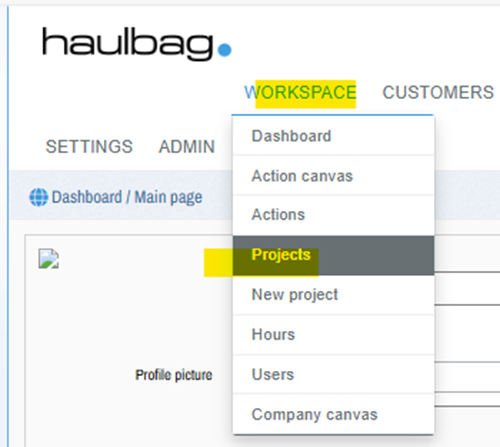
Projects are opened from the "Finances" menu.
SEARCH VIEW FOR PROJECTS
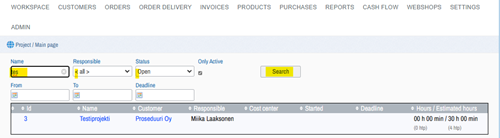
- Name
- Manager (Responsible)
- Status
- From
- At the end (To)
- Based on the deadline.
From the blue text links, you can open the function in question (drill down). For example, click "Project1" in the Name column and it will open in a separate window. To get back, press the browser's left arrow key (ALT+ left arrow on your keyboard).
NEW PROJECT
Establish a new project and provide basic information about the project:
First, select the customer and then give the project:
- Name
- Person in charge
- Cost center
- Space, (open/ closed)
- Description - A more extensive explanation of the project and its content.
- Start - start time.
- Deadline – the estimated end time when the project should be completed.
- More information
CAN BE ADDED TO THE PROJECT
- Procedures -> hours
Add to the measure:
- Name
- Author
- Estimated workload
- Beginning
- Deadline
- Approved
"Save button will save and "Undo" will undo the entered data.
Other functions
- Deals
- Sales orders
- Purchase orders
- Bills